
UX Design Tips That Increase Sales: The Complete Guide for Businesses (2026)
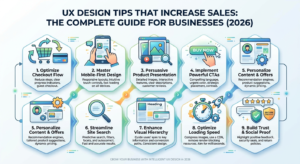
In today’s competitive digital landscape, having a visually attractive website is no longer enough. Your website must provide an exceptional user experience (UX) that encourages visitors to stay longer, trust your brand, and complete desired actions like making a purchase or filling out a contact form.
This complete guide explains the most effective UX Design Tips That Increase Sales in 2026. Whether you own a small business, eCommerce store, startup, or service-based company, these proven UX strategies can help improve customer satisfaction and maximize conversions.
What is UX Design?
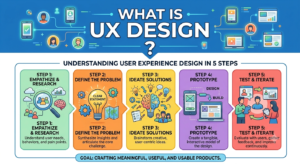
UX (User Experience) Design focuses on creating websites that are easy, enjoyable, and efficient to use. Good UX ensures visitors can quickly find information, navigate smoothly, and complete their goals without frustration.
A well-designed user experience improves customer satisfaction, builds trust, and directly increases revenue.
Why UX Design Matters for Businesses in 2026
Modern consumers have high expectations. If your website loads slowly, looks outdated, or is difficult to navigate, users will leave within seconds.
A strong UX helps businesses:
- Increase online sales
- Improve customer satisfaction
- Reduce bounce rates
- Generate more leads
- Build customer trust
- Improve SEO rankings
- Increase average session duration
- Encourage repeat customers
Simply put, better UX equals better business results.
1. Make Website Navigation Simple
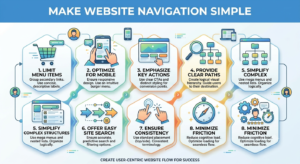
Visitors should find what they’re looking for within seconds.
Best Practices
- Keep menus clean and organized
- Use clear labels
- Limit navigation items
- Include a search bar
- Add breadcrumbs for larger websites
Simple navigation reduces confusion and improves conversions.
2. Improve Website Loading Speed
Speed is one of the biggest UX factors in 2026.
and meet a web developer
Users expect pages to load in under three seconds.
Ways to Improve Speed
- Compress images
- Use modern image formats
- Enable browser caching
- Minify CSS and JavaScript
- Choose reliable hosting
- Use a CDN
A faster website improves user satisfaction and search rankings.
3. Design for Mobile Users First
More than half of website traffic now comes from smartphones.
A mobile-friendly website should have:
- Responsive layouts
- Large buttons
- Easy scrolling
- Fast loading pages
- Readable fonts
- Mobile-friendly forms
Mobile-first UX is essential for increasing sales.
4. Use Clear Call-to-Action (CTA) Buttons
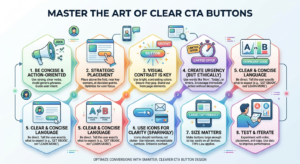
Every page should guide visitors toward a specific action.
Examples include:
- Buy Now
- Contact Us
- Get a Free Quote
- Book a Consultation
- Start Free Trial
- Download Now
Effective CTA buttons should:
- Stand out visually
- Use action-oriented language
- Be easy to find
- Appear multiple times on long pages
5. Reduce User Friction
Every unnecessary step reduces conversions.
Remove obstacles like:
- Long registration forms
- Complicated checkout processes
- Too many popups
- Confusing navigation
- Unclear pricing
The easier your website is to use, the more sales you’ll generate.
6. Build Trust with Social Proof
People trust other customers more than advertisements.
Add:
- Testimonials
- Star ratings
- Case studies
- Customer reviews
- Client logos
- Awards
- Certifications
Trust signals reduce hesitation and improve conversions.
7. Use Consistent Branding
A professional appearance builds credibility.
Maintain consistency with:
- Brand colors
- Typography
- Icons
- Button styles
- Images
- Voice and messaging
Consistency creates a stronger brand identity.
8. Improve Readability
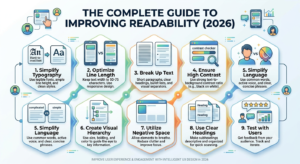
Visitors rarely read every word.
Make content easier to scan by using:
- Short paragraphs
- Bullet points
- Headings
- White space
- Bold text
- High-contrast colors
Easy-to-read content keeps users engaged.
9. Optimize Website Forms
Forms are often the final step before a conversion.
Best practices:
- Ask only essential questions
- Enable autofill
- Show error messages clearly
- Keep forms short
- Use progress indicators for multi-step forms
Simple forms increase lead generation.
10. Use High-Quality Images and Videos
Visual content influences buying decisions.
Use:
- Professional product photos
- Team images
- Demo videos
- Customer success videos
- Infographics
Avoid blurry or outdated images.
11. Improve Website Accessibility
Accessible websites reach more users and improve usability.
Include:
- Alt text for images
- Keyboard navigation
- Color contrast
- Readable fonts
- Accessible buttons
- Screen reader compatibility
Accessibility also supports better SEO.
12. Use White Space Effectively
White space helps visitors focus on important content.
Benefits include:
- Better readability
- Cleaner layouts
- Improved attention
- Higher engagement
- Professional appearance
Don’t overcrowd your pages.
13. Personalize User Experience
Modern users expect personalized experiences.
Examples include:
- Product recommendations
- Personalized offers
- Recently viewed products
- Dynamic content
- Location-based information
Personalization increases engagement and sales.
14. Add Live Chat Support
Customers often have questions before purchasing.
Live chat helps:
- Answer questions instantly
- Reduce cart abandonment
- Improve customer confidence
- Increase conversions
AI-powered chatbots can provide 24/7 assistance.
15. Continuously Test and Improve UX
UX optimization is an ongoing process.
Regularly analyze:
- Heatmaps
- Session recordings
- Google Analytics
- Conversion rates
- Bounce rates
- User feedback
Use A/B testing to identify what works best.
Common UX Mistakes That Hurt Sales
Avoid these common issues:
- Slow loading pages
- Too many popups
- Poor mobile experience
- Confusing navigation
- Tiny fonts
- Weak CTA buttons
- Cluttered layouts
- Low-quality images
- Hidden contact information
- Complicated checkout process
Fixing these mistakes can significantly improve conversions.
UX Design Trends in 2026
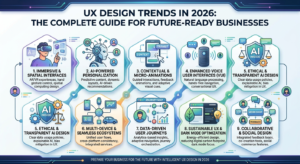
Businesses are adopting new UX innovations such as:
- AI-powered personalization
- Voice search optimization
- Dark mode support
- Micro-interactions
- Minimalist design
- Interactive product previews
- Smart chatbots
- Faster website performance
- Accessibility-first design
- Predictive user experiences
Staying updated with these trends gives businesses a competitive advantage.
Final Thoughts
Excellent UX is no longer optional—it is a business necessity. Implementing these UX Design Tips That Increase Sales can improve customer satisfaction, strengthen your brand, and drive measurable growth.
Focus on creating a website that is fast, intuitive, mobile-friendly, and user-centered. Small improvements in user experience can lead to significant increases in leads, conversions, and long-term customer loyalty.
If you want your business to succeed online in 2026, investing in UX design is one of the smartest decisions you can make.
Frequently Asked Questions (FAQs)
What is UX design?
UX design is the process of improving the overall experience users have while interacting with a website or application.
How does UX design increase sales?
Better UX makes websites easier to use, builds trust, reduces friction, and encourages visitors to complete purchases or contact your business.
Is UX important for SEO?
Yes. Good UX improves page speed, user engagement, mobile usability, and overall website performance, all of which can positively impact search rankings.
What is the difference between UX and UI?
UX focuses on the user’s overall experience and usability, while UI (User Interface) focuses on the visual design and interactive elements of a website.
How often should businesses improve their UX?
Businesses should regularly analyze user behavior, collect feedback, and update their UX to meet changing customer expectations and industry trends.
Hi There,
I came across your website and noticed you’re running a WordPress site — great setup.
I just wanted to reach out because we’ve been helping WordPress site owners like you reclaim hours every week by automating the repetitive stuff that quietly eats into your day:
WordPress automation — auto-publishing, content scheduling, plugin updates, backups, and form-to-CRM workflows
Chat automation — 24/7 AI chatbots that answer visitor questions, qualify leads, and book appointments while you sleep
Social media chat automation — auto-replies and DM flows across Instagram, Facebook, and WhatsApp so no lead goes cold
Lead follow-up sequences — instant responses the moment someone fills out a form or contacts you
Most of our clients save 10–15 hours a week within the first month.
We’d love to take a quick look at your current setup and tell you exactly where automation could make the biggest difference — no fluff, no hard sell.
Get your free 15-minute audit here →
Or just reply to this email and we can sort out a time.
WhatsApp works too: wa.link/45wwsq
Best,
Alex
AutoHandy Team
alex@autohandy.co
[Timestamp: 2026-07-02 17:21:56]